
An operating system,
built from scratch.
AstraOS is a new operating system – the basic software that runs a computer, like Windows or macOS. We wrote it completely ourselves: no Linux and no Windows inside. Small, fast and built to protect you.
Alpha 0.1 on 10 Nov 2026 · Beta on 1 Dec 2026Versions & dates
Where we are and what comes next. Dates can move – we will tell you honestly.
Pre-alpha
Now · in development- ✓ Desktop with windows, taskbar, start menu and search
- ✓ Apps: Files, Terminal, Text Editor, Calculator, Task Manager, Settings, Web Browser
- ✓ USB, hard disks, internet, sound
- ✓ Simple Linux and Windows programs start
- ✓ Astra Shield protection built in
Alpha 0.1
10 November 2026, 19:00- → Try AstraOS in a window with AstraOS Starter
- → AstraOS Starter for Windows, Linux and macOS
- → Runs on normal PCs (x86/x64) and on ARM computers
- → First public download
Beta
1 December 2026- ◦ Astra Install Helper: install on your PC (alone or next to your system) or on a USB stick for another PC
- ◦ On a Mac: try it and make a USB stick
- ◦ Tests on real PCs
- ◦ More protection, programs with windows from Windows
Version 1.0
No date – when all 3 goals are met- ◦ Windows, Linux and macOS apps run directly
- ◦ The most secure system – proven by outside testers
- ◦ Every app runs on normal PCs and on ARM computers
Explore
See it for yourself
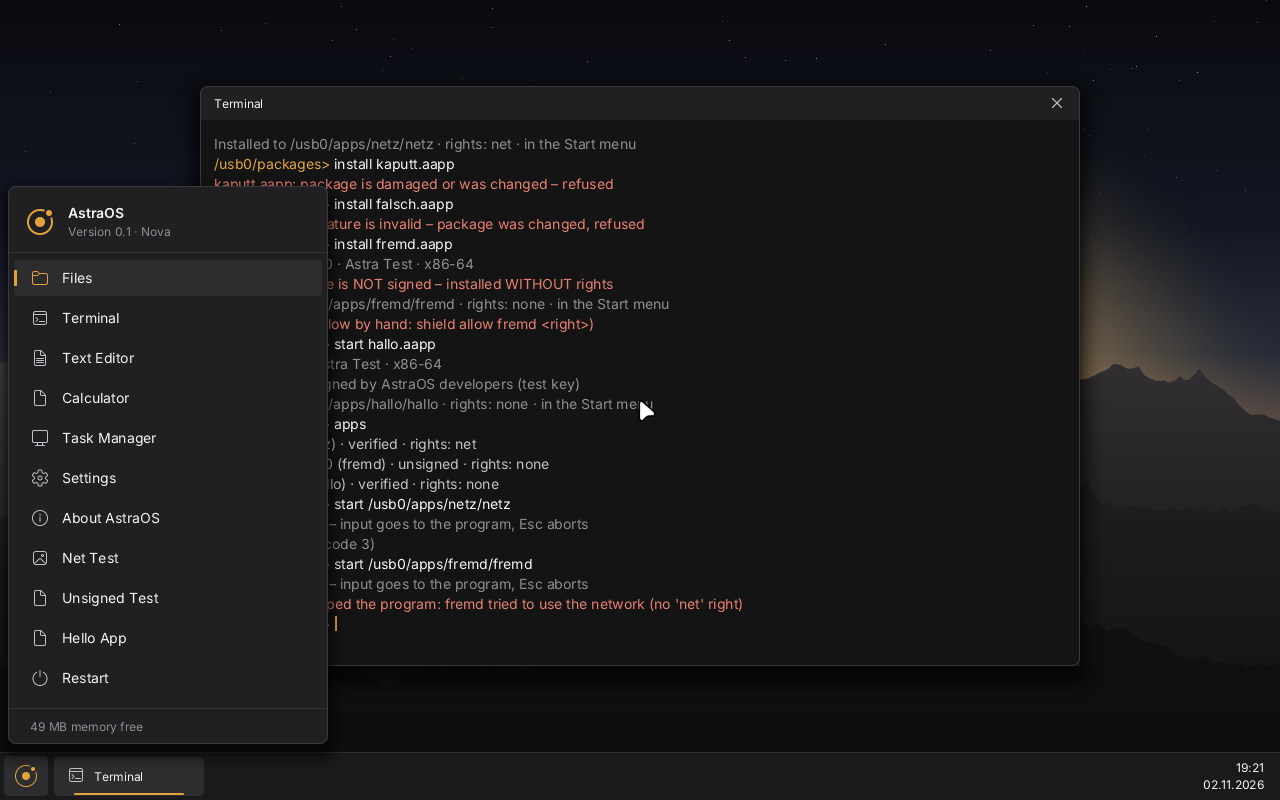
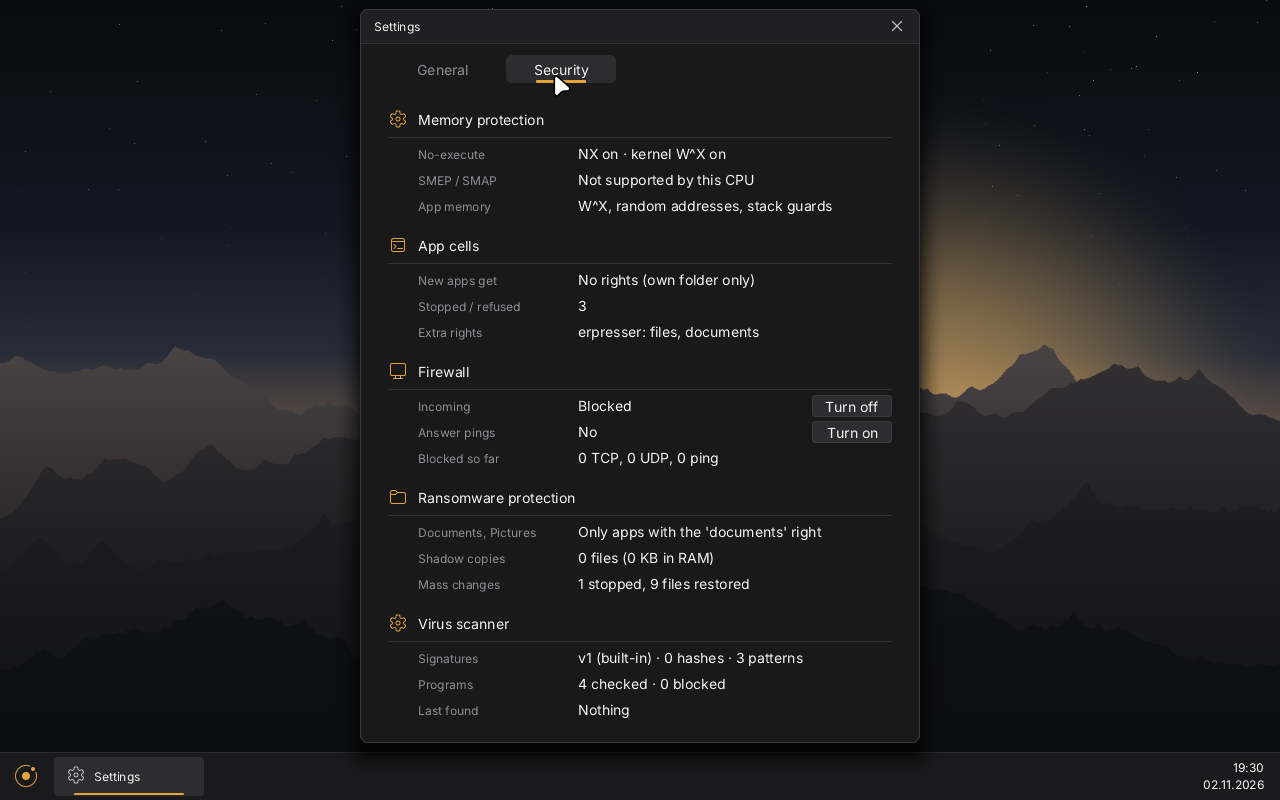
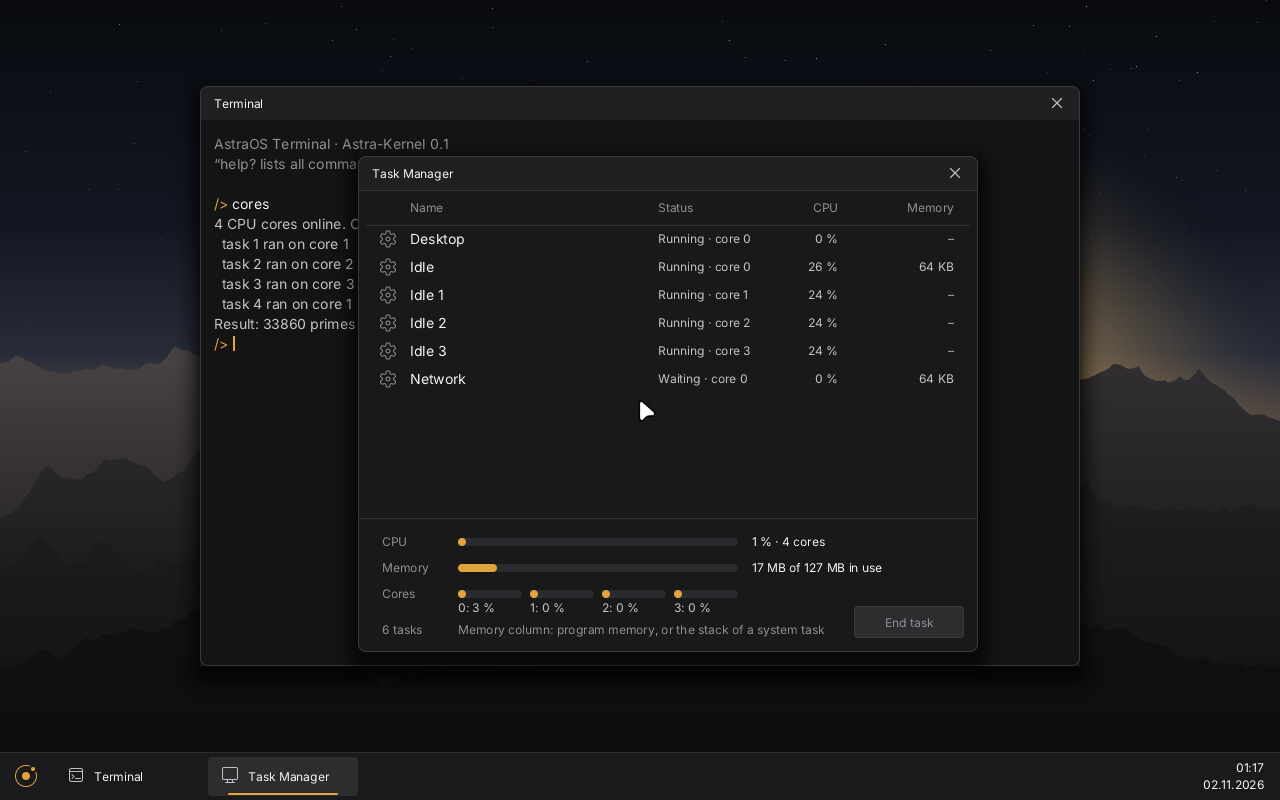
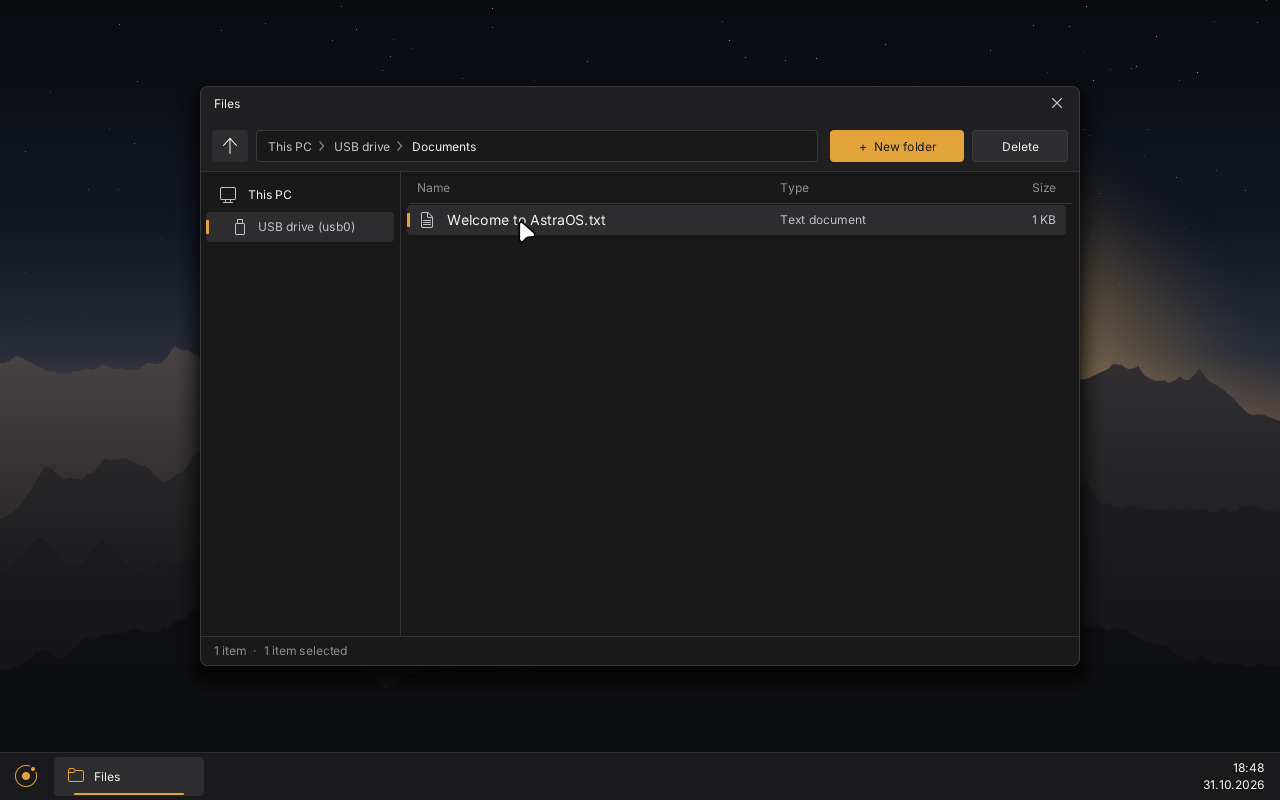
Real pictures of AstraOS, running in a virtual computer on a PC. Nothing faked.
What AstraOS can do today
Everything here really works. So far we test it in a virtual computer on a PC – not yet on real hardware.
Its own core
The core (the “kernel”) is the part that talks to the hardware and decides which program runs. We wrote it ourselves. It uses several processor cores at once.
Desktop
Windows you can move, resize, minimize, maximize and show full screen. Taskbar, start menu with search and icons on the desktop.
Apps included
Files, Terminal, Text Editor, Calculator, Task Manager, Settings and a simple web browser. Your own apps can open their own windows.
Very small
The whole system needs only 64 MB of memory (RAM). For apps we recommend 2 GB.
USB and disks
USB sticks, keyboards and mice, hard disks. Open, save, rename and move files.
Internet
Network connection and a simple web browser. Secure websites (https) do not work yet.
Sound
Start-up sound and volume control.
Programs from other systems
Simple Linux and Windows programs that run in a text window already start. Programs with their own windows come later.
Protection
Astra Shield is built in: apps only get what they are allowed, damaged or fake apps are refused, plus a virus scanner and a protection against blackmail software (ransomware).
How AstraOS protects you
Protection is built in from the start. More is coming.
One program cannot look into or change another program.
A new app starts without rights and can only use its own folder.
Nobody from the internet can connect to your computer unless you allow it.
Damaged or fake apps are refused.
If a program suddenly changes many of your files, AstraOS stops it and brings your files back.
Checks files and programs and recognises dangerous behaviour.
After that, anyone may test AstraOS for holes and report them to us.
Roadmap
✓ done and tested · → in progress · ◦ planned
✓ Done
- Starts on old and new PCs, mouse and keyboard
- USB devices, hard disks, files
- Desktop with windows, search, desktop icons
- Apps including a simple web browser
- Simple Linux and Windows programs
- Internet, sound, several processor cores
- Astra Shield protection, virus scanner
→ In progress
- Version for ARM computers
- AstraOS Starter for Windows, Linux and macOS
- The first public download (Alpha 0.1)
◦ Planned
- Beta: Astra Install Helper – install on your PC or a USB stick
- Tests on real PCs
- Windows programs with windows, graphics card drivers
- macOS apps
- Version 1.0 – only when all three goals are met
How many people use AstraOS?
Counting starts with the alpha. There are no numbers yet – we will not invent any. Only people who agree are counted.
Why AstraOS?
What is true today and what is a goal.
Small
The whole core is about 816 KB. The system runs in 64 MB of memory.
Fast
No old layers underneath – everything is built for AstraOS.
Secure
Protection is built in today. Goal: the most secure system, proven by outside testers.
All your apps
Windows, Linux and macOS apps should run directly. Simple programs already start today.
Where we are going
Version 1.0 only comes when all three goals are met. Until then AstraOS is alpha or beta software.
Windows, Linux and macOS apps
Apps from all three systems should run directly on AstraOS.
The most secure system
Proven from the outside: anyone may look for holes, we report them openly and close them.
Every app on every processor
Apps run on normal PCs (x86/x64) and on ARM computers. An AstraOS app contains both versions.